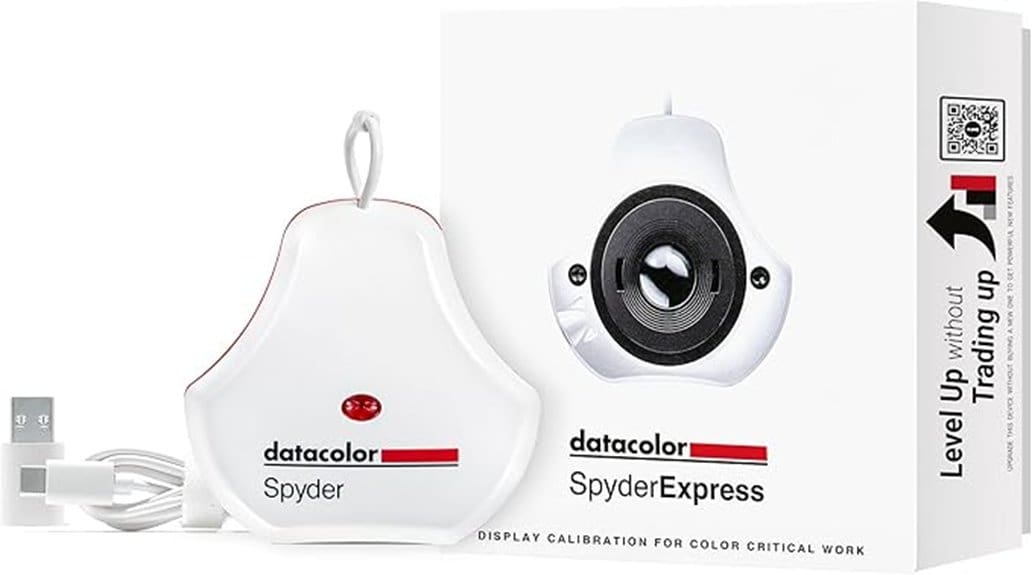
You’ll get fast, repeatable, edit‑ready color with the Datacolor SpyderExpress—calibrations finish in about 90 seconds and favor accurate skin tones, preserved shadow detail, and controlled highlights. Setup is streamlined: pick your display, hang the compact sensor, and follow concise prompts. Optional software adds ambient‑aware profiling, DevicePreview, and multi‑display support for up to three monitors. It’s a pragmatic choice for creators who want quick, consistent color; keep going to see test results and alternatives.
Some Key Takeaways
- Fast, streamlined calibration completes in about 90 seconds with clear prompts and a simple hang‑sensor workflow.
- Produces accurate, edit‑ready color with notably faithful skin tones, preserved warm/cool shifts, and smooth tonal gradation.
- Controls highlights and shadow detail well, reducing banding and keeping recoverable midtones for retouching.
- Paid software upgrades add Ambient adaptation, DevicePreview, and multi‑display support for more flexible workflows.
- Best for photo editors and creators needing quick, repeatable color on one to three monitors; pro or budget alternatives exist.
What the SpyderExpress Promises: Speed, Accuracy, and Compatibility
Although marketed for speed and simplicity, the SpyderExpress delivers on practical promises: it calibrates most everyday monitors (and recent Liquid Retina XDR mini‑LED MacBooks) quickly and produces consistent, edit‑ready color. You’ll find its calibration speed genuinely useful when you need reliable results without long waits. It targets photo editors and designers who demand accurate skin tones and print‑ready files, balancing a sensible color gamut for typical workflows. Compatibility is broad, and software upgrades add ambient‑aware profiling and DevicePreview. Objectively, it’s a pragmatic choice: fast, dependable, and well suited to creators who prioritize accurate, repeatable color. It’s an especially good fit for passionate photographers who want straightforward, reliable color calibration without a steep learning curve.
First Look and Setup: Getting Calibrated in ~90 Seconds
Plug in the SpyderExpress, run the installer, and you’ll be ready to calibrate in roughly 90 seconds. You’ll follow a clear quick start flow: select display, hang the sensor, confirm ambient lighting. The app guides you with concise prompts and progress indicators, so you’ll know when the profile’s saved. Setup feels streamlined and reliable; the USB cable is short but adequate. Good cable management matters—route or extend the lead to avoid strain or light leaks affecting the sensor. Overall, the first‑look setup is fast, unobtrusive, and suitable for creators who need speedy, consistent color profiles. Calibrating your monitor helps achieve true-to-life color essential for accurate photo editing.
Real‑World Accuracy: Skin Tones, Shadows, Highlights (Test Results)
When you put the SpyderExpress through practical tests, it delivers noticeably accurate skin tones and well-defined shadow detail without over-saturating highlights. You’ll see reliable color rendition across portraits, preserving subtle warm and cool shifts. Shadows retain texture and detail, so you can recover midtones without banding. Highlights are controlled, avoiding blown whites while keeping specular clarity. Tonal gradation feels smooth from deep blacks to skin-lit midtones, aiding retouching decisions. Measurements matched expected targets for common editing spaces, producing edit-ready profiles quickly. For creators focused on lifelike results, the SpyderExpress offers consistent, practical accuracy you can depend on. Using a calibrated workflow with color checker cards helps ensure those profiles stay consistent across shoots.
Software Upgrades, DevicePreview, and Multi‑Display Workflows
Beyond the measured accuracy in skin tones and shadow detail, the SpyderExpress’s software options extend its practical value for multi‑display setups and device simulations. You’ll appreciate that a paid software upgrade enables Ambient adaptation, letting profiles account for changing room light so your edits remain consistent. DevicePreview simulates Cross platform simulation of images on phones, tablets, and TVs without extra hardware, which helps you anticipate client viewing conditions. Multi‑display workflows are straightforward: you can calibrate up to three connected displays per workstation and save distinct profiles. Overall, the software upgrades add measurable flexibility and reduce guesswork across varied display environments. For Lightroom users who sell presets and tweak images for clients, this helps ensure your edits look consistent across devices, aiding preset preview and final delivery.
Who Should Buy the SpyderExpress : Alternatives and Final Recommendation
If you need fast, consistent color with minimal fuss, the SpyderExpress is a smart pick for photo editors, content creators, and designers who work on one to three monitors and value accurate skin tones and shadow detail. You’ll get rapid 90‑second calibrations, straightforward workflows, and optional software upgrades for DevicePreview and ambient adjustments. Choose it if you want reliable, edit‑ready color without complex setups. If you need wider feature sets or enterprise‑grade precision, consider professional competitors; if budget matters, explore affordable alternatives that trade speed for basic profiling. Overall, SpyderExpress balances speed, usability, and expandability well. It’s especially useful for photographers who pair calibration with quality input devices like graphics tablets to streamline their editing workflow.
Some Questions Answered
Does It Include a Carrying Case or Protective Cover?
No, it doesn’t include a carrying case or protective cover. You should treat the unit carefully and consider colorimeter maintenance routines—cleaning the lens and storing it away from dust and moisture. For travel packing, use a padded pouch or hard case you already own to prevent damage and keep calibration accuracy. This lets you maintain consistent results and prolong the device’s life without relying on bundled accessories.
Can It Calibrate Projectors or TVS?
Yes — you can use it for basic projector calibration and tv profiling, but it’s optimized for monitors. You’ll get quick, consistent profiles for digital projection or TV viewing, yet advanced display types (high‑end projectors, OLED/advanced mini‑LED TVs) may need the upgraded software or more specialized tools for peak accuracy. For typical content‑creator workflows it’s sufficient; for critical color grading, consider higher‑end hardware or the software upgrade.
Is a Subscription Required for Software Upgrades?
No, a subscription isn’t required for software upgrades; you’ll pay one‑time upgrade costs under Datacolor’s upgrade policy. You’ll evaluate whether the one‑off subscription costs for optional advanced features make sense for your workflow. Basic upgrades and core calibration remain available without recurring fees, while premium functions (ambient light adjustment, DevicePreview, OLED support) become available via paid upgrades per license. That policy keeps ongoing costs predictable.
Does It Support Windows and Older Macos Versions?
Yes — you get Windows support and Legacy macOS compatibility. You’ll run the basic calibration on current Windows builds and on older macOS releases classified as Legacy macOS. It’s objectively useful if you’re on mixed or older systems, though some advanced features and OLED/advanced mini‑LED support require a software upgrade. You’ll want to check specific OS version lists before buying to guarantee full feature access.
What Warranty or Customer Support Options Are Available?
You get a limited warranty covering defects for a defined period and access to Datacolor’s support channels for troubleshooting and registration. You can expect warranty details in the box and online, including claim steps and eligibility. Support channels include email, phone, and an online knowledge base with guides and firmware/software updates. If you need faster help, live chat or authorized service centers may be available depending on region and product registration status.


