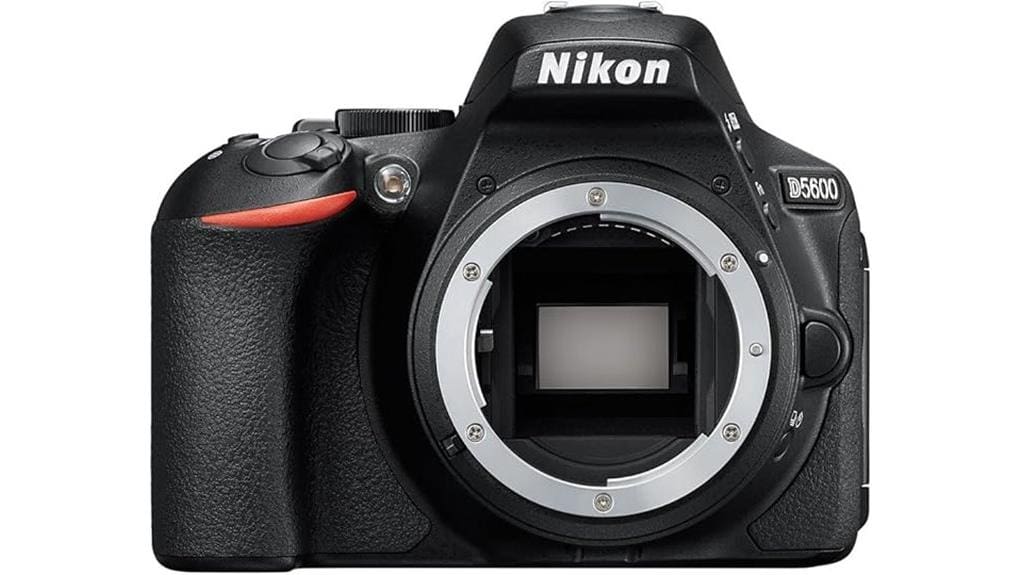

You’ll get a compact, image-focused DX DSLR with a 24.2MP sensor and EXPEED 4 that delivers clean mid-ISO files and natural color. The 39-point AF (9 cross-type) and 5 fps burst suit travel and family shooting, though phase-detect tracking won’t match top mirrorless. Video is 1080p60 with rolling-shutter limits and 29:59 clips. SnapBridge, vari-angle touchscreen and Wi‑Fi help mobile workflows, while lens choices affect long-term value — keep going for full specs and trade-offs.
Some Key Takeaways
- 24.2MP DX sensor delivers high-resolution images with clean mid-ISO performance and natural color rendering.
- 39-point AF (9 cross-type) and EXPEED 4 yield reliable static and moderate subject tracking, best with back-button AF.
- 5 fps continuous shooting and adequate JPEG buffer suit casual action and burst needs.
- 1080p60 video is usable for web projects but shows rolling shutter and 29:59 clip limits.
- Bluetooth SnapBridge and vari-angle touchscreen favor mobile workflows; Wi‑Fi needed for Raw transfer and tethering is limited.
Real-World Image Quality: 24.2MP DX Sensor and EXPEED 4 Performance
When you push the D5600’s 24.2MP DX sensor and EXPEED 4 through everyday shooting, they deliver high-resolution files with clean mid-ISO performance and accurate tone rendering. You’ll find dynamic range adequate for recoverable shadows and restrained highlights, letting you grade conservatively. High ISO performance holds detail well to ISO 1600–3200, with manageable luminance noise and preserved edge contrast. Color rendering is natural and stable across scenes, needing minimal correction for skin tones. Lens bokeh characteristics depend on glass choice: smooth with fast primes, busier with kit zooms. Overall, the combo balances resolution, noise control, and usable tonal latitude. The site also carries a range of compatible lenses and accessories to help you get the most from the camera, including DX-format lenses for optimal coverage.
Autofocus, Shooting Speed, and Viewfinder Usability for Stills
Assess the D5600’s autofocus, shooting speed, and viewfinder with an eye for practical use: its 39-point AF array (including 9 cross-type sensors) and EXPEED 4–optimized algorithms provide reliable phase-detect focusing for static and moderately paced subjects, though the system lags behind more advanced trackers in sustained accuracy on erratic movers. You’ll get 5 fps continuous shooting, adequate buffer depth for JPEG bursts, and responsive shutter timing. Optical viewfinder offers clear framing with 0.82x magnification; focus confirmation and center weighting exposure work predictably. Use back button AF to decouple focus from metering for faster, consistent results when recomposing. This makes the D5600 a solid choice for DSLR enthusiasts and photographers seeking dependable core functionality, with essential gear options easily compatible across typical DSLR accessories.
Video Performance and Recording Limits (1080p60, Clip Length, Handling)
Shifting from stills, the D5600 handles video with the same EXPEED 4 tuning that benefits its AF and JPEG throughput, but with clear limitations. You get 1080p at 60 fps with solid color and low noise for daylight work, yet you’ll notice a measurable rolling shutter during fast pans or handheld action. Clips are limited to 29:59, which suits most run-and-gun shoots but enforces file management discipline. The codec’s effective bitrate ceiling constrains fine detail and grading latitude compared with higher-end models. You can rely on usable results for web and short projects, but not for demanding professional cinema tasks. Consider pairing it with an external monitor to improve framing and exposure monitoring external camera monitors for better results.
Connectivity, Touchscreen, and Workflow: SnapBridge, Wi‑Fi/NFC, and Tethering
Across everyday shoots, the D5600’s connectivity and touchscreen streamline image review and transfer but come with practical constraints you should know. You’ll use Bluetooth pairing via SnapBridge for constant low-energy connections, enabling automatic JPEG transfer to support a Mobile workflow; raw transfer requires Wi‑Fi/NFC and manual initiation. The 3.2-inch vari-angle display gives accurate Touch controls for focus point selection, review, and menu navigation, speeding on-set decisions. Remote capture works over Wi‑Fi with the wireless mobile app, but latency and occasional drops limit studio tethering. Overall, the system favors fast social delivery and flexible shooting, not robust pro tethering. This makes the D5600 a good match for photographers who shoot with smartphone camera remotes and prioritize quick sharing and mobile workflows.
Who Should Buy the D5600? Use-Case Verdict, Alternatives, and Value for Money
If you want a compact DSLR that prioritizes solid image quality, easy mobile sharing, and an intuitive touchscreen without paying for pro-level features, the D5600 is a clear choice. You’ll get a 24.2MP DX sensor, EXPEED 4 processing, vari-angle touchscreen, and SnapBridge connectivity that suit travel, family, and social content. It appeals to budget buyers and beginner videographers who need 1080p60 capture without complex menus. Consider alternatives—mirrorless bodies for faster AF and future-proofing, or used higher-tier Nikons for more dynamic range. Value hinges on lens ecosystem needs and whether compact size outweighs advanced features. The site also offers essential gear and accessories for mirrorless camera enthusiasts, including lenses and cases for better portability and protection mirrorless camera accessories.
Some Questions Answered
Does the D5600 Include In-Body Image Stabilization (IBIS)?
No — the D5600 doesn’t have in-body image stabilization. You’ll rely on lens stabilization (VR) to counter sensor vibration and camera shake, so choose lenses with effective vibration reduction for handheld low-light or video. The camera’s EXPEED 4 processor and 24.2MP DX sensor won’t stabilize the image themselves, so evaluate lens VR performance and shooting technique when you need steady stills or Full HD 60p clips.
Can the Camera Shoot Raw+Jpeg Simultaneously?
Yes — you can shoot RAW+JPEG (Dual Capture) on the D5600. You’ll get simultaneous NEF (RAW) and JPEG files, letting you retain full sensor data for heavy edits while using ready-to-share JPEGs. Set Image Quality to RAW+JPEG in the menu, and be mindful of larger file sizes and buffer limitations during continuous shooting. This workflow is technical, flexible, and valuable if you need archival quality plus instant usability.
Is There a Built-In Flash and Hot Shoe for External Flashes?
Yes — you’ve got a pop up flash and a built in hotshoe for external flashes. You’ll find the pop up flash useful for fill or quick indoor shots; output is modest. The built in hotshoe lets you mount TTL-capable speedlights or triggers, giving you more power and control. You’ll appreciate expanded lighting options, improved flash sync compatibility, and better creative control compared with relying on the pop up flash alone.
What Battery Life Can I Expect per CIPA Rating?
You can expect about 970 CIPA cycles per charge under standard testing. That rating reflects the EN-EL14a battery chemistry and optimized power management with the EXPEED 4 processor. In practical use, expect fewer shots if you use Live View, Wi‑Fi/Bluetooth, touchscreen framing, or frequent flash pops; conversely, conservative shooting and airplane mode extend runtime. Plan for one to two full-days of moderate shooting before recharging.
Does It Support USB Charging or Power Delivery?
No, it doesn’t support USB charging or Power Delivery. You’ll need to charge the EN-EL14a battery in an external charger. From a technical perspective, USB connectivity is limited to data transfer and SnapBridge pairing via Bluetooth/Wi‑Fi; the camera’s micro‑USB port won’t provide reliable battery charging or sustained power. For extended shoots, use spare batteries or an AC adapter with a dummy battery (third‑party solutions), evaluating voltage and thermal safety carefully.


