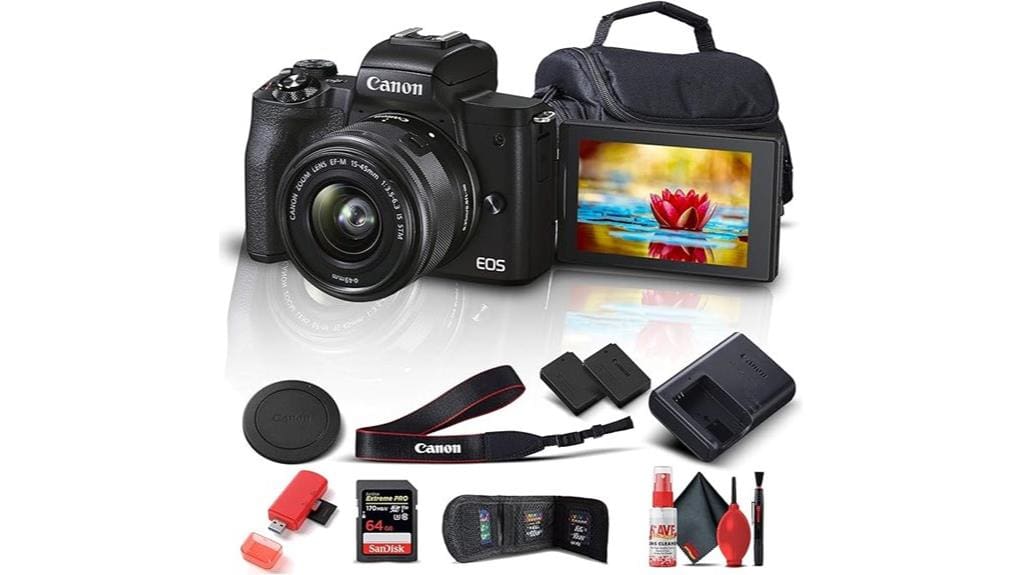
You’ll find the Canon EOS M50 Mark II a compact, user‑friendly APS‑C mirrorless that pairs a 24.1MP sensor and Dual Pixel CMOS AF for reliable stills and Eye Detect portraits. It gives sharper in‑camera JPEGs and decent mid‑ISO performance to about ISO 3200, though low‑light detail needs care. Video shines at 1080p with clean HDMI and webcam support; 4K is cropped and limited. Battery and stabilization are modest, and you’ll learn more about tradeoffs and use cases.
Some Key Takeaways
- Compact APS-C mirrorless with 24.1MP sensor and DIGIC 8, aimed at vloggers and content creators.
- Dual Pixel CMOS AF with Eye Detect AF improves keeper rates for portraits and candid shots.
- 4K24p limited by 1.6x crop and contrast-detect AF; 1080p offers better AF and low-light results.
- Clean HDMI, EOS Webcam Utility, and built‑in Wi‑Fi/Bluetooth enable reliable streaming workflows.
- Modest LP‑E12 battery life and limited low‑light performance; carry spares for heavy video use.
What the Canon EOS M50 Mark II Offers at a Glance
Overview: the EOS M50 Mark II packs a compact APS-C system into a versatile package that’s aimed at vloggers, casual shooters, and content creators. You get a 24.1MP sensor, DIGIC 8 processor, and Dual Pixel CMOS AF in a body that emphasizes compact ergonomics and easy handling. It’s geared for quick setup: beginner friendly controls, a vari-angle touchscreen, and clean HDMI/streaming support. Video options include 4K24p and 720p120 for slow motion, while the EVF and 10 fps burst cover stills. Bundled accessories and connectivity (Wi‑Fi, Bluetooth) make it a practical, portable hybrid for everyday use. It’s also compatible with a growing range of mirrorless camera accessories specifically aimed at Mirrorless Camera Enthusiasts.
Real-World Image and Autofocus Performance (Photos and Eye Detect AF)
Although the M50 Mark II keeps the same 24.1MP sensor and DIGIC 8 engine as its predecessor, you’ll see meaningful real-world gains from its autofocus refinements and processing tweaks: images show clean mid-ISO performance up to about ISO 3200 with well-controlled noise and preserved detail, while sharper in-camera JPEGs and slightly improved tonal rendering reduce the need for heavy edits. You’ll notice Eye Detect AF reliably locks on subjects in portraits and candid situations, boosting keeper rates. Continuous tracking improved for moving subjects but still trails higher-end systems. Low‑light performance is competent for handheld shooting, though high-ISO files require cautious processing. For accurate color and exposure when testing the M50 Mark II, consider using a gray card to streamline white balance and exposure adjustments.
Video, Streaming, and Slow‑Motion: 4K, Clean HDMI, and Live Use
Having seen how the M50 Mark II tightens up stills with better AF and cleaner mid‑ISO files, you’ll find its video and streaming features aim for similar practical improvements. You get UHD 4K 24p for crisp footage, but note the 1.6x crop and contrast‑detect limits; low‑light performance and AF in 4K trail the camera’s 1080p results. Clean HDMI and EOS Webcam Utility let you set up reliable 4K livestreaming workflows or a sharp 1080p feed. For action, HD 720p at 120 fps enables usable slow‑motion capture, though resolution and rolling shutter constrain professional applications. If you plan to push smooth focus transitions in your videos, consider adding a follow focus system to your kit for more precise control.
Battery Life, Stabilization, and Everyday Handling With the 15–45mm Kit Lens
When you factor in the modest battery capacity and the stabilisation built into the body and kit lens, the M50 Mark II delivers solid everyday performance but demands a few practical compromises: you’ll typically get a day’s worth of casual shooting from a single LP‑E12 replacement battery (more if you stick to stills and intermittent live view), yet heavy video, streaming, continuous burst use will eat power quickly and benefit from a spare battery or external power solution. The 5‑axis combination IS with the 15–45mm is effective for handheld stills and short clips. Handling ergonomics are fine for light travel; a battery grip would improve balance and runtime but no official grip exists, so consider third‑party options. For photographers who rely on long shoots or frequent battery swaps, investing in dual battery chargers and high-quality spare batteries makes practical sense.
Who Should Buy the M50 Mark II and How It Compares to Alternatives
If you want a compact, user‑friendly mirrorless that’s strong for vlogging, casual photography and streaming without breaking the bank, the M50 Mark II deserves serious consideration. You’ll get reliable Dual Pixel AF, clean HDMI streaming, and a vari-angle screen that helps budget vlogging and vertical content. For beginner portraiture it’s capable with the 24.1MP sensor and Eye Detect AF, though low‑light performance trails larger-sensor rivals. Compared with older M50 or entry-level EOS R models, it’s more affordable and easier to use but less future‑proof than full‑frame. Choose it if you prioritize size, connectivity, and value. The site also offers a wide range of camera accessories to help enthusiasts get the most from their gear.
Some Questions Answered
Does the Camera Support In-Body RAW Editing or Tethered Capture via USB?
No — you won’t get in-camera RAW editing or full USB tethering. The M50 Mark II lets you capture RAW files, but it lacks robust in-camera RAW processing tools beyond basic adjustments. USB tethering for live capture to a computer isn’t supported natively; you’ll rely on Wi‑Fi, EOS Webcam Utility for streaming, or remove the card and use a card reader. For tethered workflows, consider dedicated models or third-party solutions.
Can I Use EF and EF-S Lenses Without an Adapter?
No — you can’t mount EF or EF-S lenses directly. You’ll need an EF adapter for compatibility. With the adapter, you retain autofocus and aperture control on most EF and EF-S lenses, though AF speed and full functionality can vary by lens. Lens compatibility is strong, but expect potential limits with older lenses, very fast telephotos, or certain firmware-dependent features. Test critical lenses to confirm performance before important shoots.
Is There a Headphone Jack for Audio Monitoring During Video?
No — there’s no headphone jack for audio monitoring on the M50 Mark II. You’ll need to rely on the camera’s internal mic or use external recorders for higher-quality sound and monitoring. If you want real-time audio checking, pair an external recorder that has a headphone output and sync audio in post, or use an HDMI clean output to a recorder/monitor with audio monitoring. This keeps recording flexibility despite the camera’s limitation.
Does the M50 Mark II Have Weather Sealing for Outdoor Use?
No — the M50 Mark II doesn’t offer weather sealing, so you shouldn’t rely on it for heavy exposure to moisture or dust. You’ll want weather resistance precautions and additional environmental protection if you shoot outdoors in rain, sand, or harsh conditions. Use a rain cover, protective housing, or a sealed lens and be cautious changing lenses. With careful handling and accessories, you can still shoot outdoors, but not in outright hostile environments.
Are There Firmware Updates That Add New Autofocus Features?
Yes — Canon’s firmware enhancements have occasionally improved autofocus modes on the M50 Mark II. You’ll find updates that refine Dual Pixel CMOS AF responsiveness, expand eye-detection reliability, and smooth Movie Servo AF behavior. Check Canon’s support site for version notes and install steps. Keep your battery charged and use a reliable card when updating; read changelogs to confirm whether a specific update addresses the autofocus modes you rely on.


