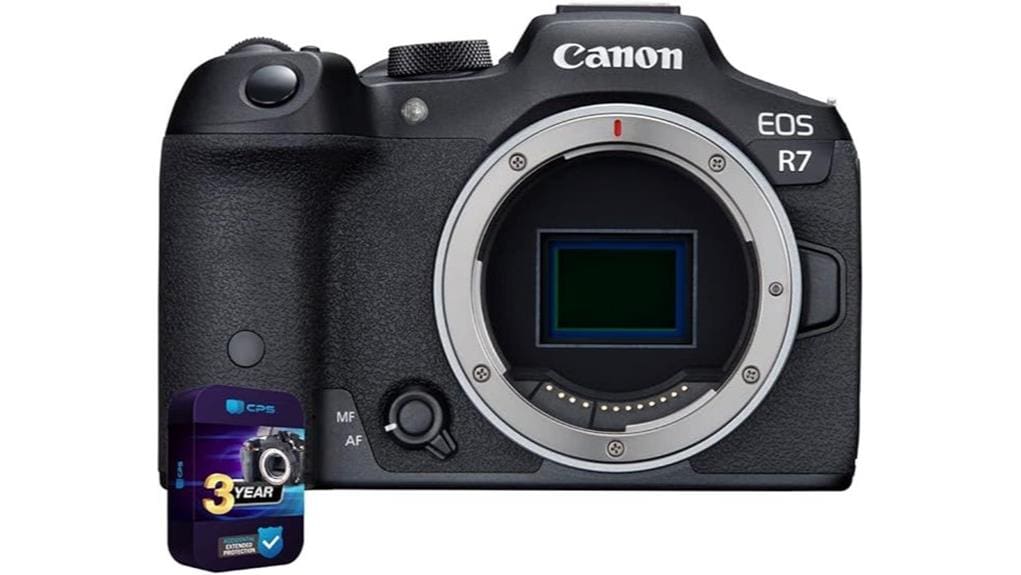

You’ll find the Canon 5137C002 EOS R7 a compact, high-speed APS-C mirrorless body that delivers 32.5MP detail, 5-axis in-body stabilization, and Dual Pixel CMOS AF with 651 phase-detect points for reliable action and hybrid shooting. It captures full-width 4K60 with 10-bit output, handles sustained burst rates up to 30 fps depending on card speed, and supports RF-S/EF glass with combined optical and sensor IS. Keep reading for complete specs, workflow notes, and practical limits.
Some Key Takeaways
- 32.5MP APS-C sensor delivers high-resolution images with good low-light performance and excellent dynamic range when shooting RAW/C-RAW.
- Dual Pixel CMOS AF with 651 phase-detect points provides fast, reliable subject tracking for wildlife, sports, and action.
- In-body 5-axis stabilization combined with lens IS enables sharp handheld telephoto shots and slower shutter use.
- Full-width 4K60 video, 10-bit, and Log profiles support professional hybrid workflows with proper high-speed UHS-II or V30 cards.
- Up to 30 fps continuous shooting and robust connectivity (USB, HDMI, Wi‑Fi) suit fast-paced shoots, though buffer and thermal limits apply.
Who Should Buy the Canon 5137C002 EOS R7 and What Problems Does It Solve
When you need a high-speed, high-resolution APS-C mirrorless body that bridges enthusiast and professional use, the Canon 5137C002 EOS R7 delivers: its 32.5 MP sensor, 5-axis in-body stabilization, and Dual Pixel CMOS AF with 651 phase-detection points solve motion blur and focus-tracking problems for sports, wildlife, and fast-action shooters while 4K60 video and full-width recording address hybrid stills/video workflows without crop penalties. You’ll want this for enthusiast wildlife photographers needing reach, rapid continuous shooting up to 30 FPS, and reliable tracking. It also suits hybrid content creators who demand compact, rugged handling, RF-S lens compatibility, and extensive connectivity. The site also offers curated accessories ideal for mirrorless users, including essential gear that complements the EOS R7.
Sensor, Autofocus, and Image Quality: Real-World Photo Performance
Because Canon packed a 32.5 MP APS-C sensor with 5-axis in-body stabilization and Dual Pixel CMOS AF into the R7, you get a system that balances resolution, low-light performance, and tracking accuracy for real-world shooting. You’ll resolve fine detail to 6960 pixels while sensor-shift stabilization lets slower shutters retain sharpness. Dual Pixel phase-detect AF with 651 points locks quickly, sustaining Continuous-Servo AF for moving subjects. Noise control across ISO 100–51200 preserves tonal gradation; shoot RAW or C-RAW to maximize dynamic range. Expect reliable metering, neutral white-balance rendering, and excellent color rendition fidelity in varied conditions. It’s an excellent choice for DSLR enthusiasts transitioning to mirrorless systems who want familiar handling with advanced features.
Video Capabilities and Recording Workflow for Creators
Although the R7 packs a surprisingly powerful video toolkit into an APS-C body, you’ll want to match settings and media to your output needs to get the most from it. You can shoot full-width 4K recording up to 60p or 1080p for longer runtimes; choose frame rate, shutter, and ISO deliberately to minimize rolling shutter and noise. Use 10-bit color and Log profiles for maximum grading latitude, but budget fast UHS-II or V30 cards to sustain data rates. Monitor via HDMI, enable in-body stabilization, and route audio to dual inputs. Establish a codec, color, and delivery checklist before rolling. Consider a sturdy mini HDMI cable to ensure reliable monitoring during shoots.
Lenses, Mounts, and Stabilization: What to Pair the R7 With
Dial in your lens strategy around the R7’s RF-S/RF native mount and its 5-axis in-body stabilization to get the best balance of reach, sharpness, and motion control. You’ll favor RF-S telephotos for weight and crop-sensor reach, pairing lens optical IS with the sensor-shift system for robust telephoto stabilization during handheld shooting. For landscapes and architecture, prioritize wide rectilinear RF or adapted EF glass with high MTFs to preserve wide angle sharpness across the frame. Use short, stiff focal-length primes for critical resolution; apply in-camera stabilization settings to match lens IS behaviors and shooting mode. Consider a compact travel tripod for stable compositions and easy portability when shooting on location with the R7 and its lenses, such as a lightweight carbon fiber travel tripod.
Speed and Handling: Continuous Shooting, UI, and Ergonomics
Pairing the right glass and stabilization strategy gets you sharp frames; now look at how the R7 handles when you’re squeezing off bursts and steering through menus under pressure. You get up to 30 FPS with Dual Pixel AF tracking, and real-world throughput depends on shutter cadence, card speed, and buffer lag—use UHS-II or fast UHS-I to minimize stalls. The EVF and 3-inch tilting touchscreen deliver immediate feedback; menu depth is logical, with customizable My Menu entries. Button placement is thoughtful: rear multi-controller, AF-ON, and top dials sit for rapid thumb index access, reducing hand shifts during sequences. Choosing the right tripod head can further refine your results by improving stability and framing precision when shooting bursts with long lenses, especially if you rely on a ball head for quick adjustments.
Media, Connectivity, Battery Life, and Practical Shooting Limits
Plug in fast cards and reliable connections and the R7 keeps pace with demanding shoots. You’ll use UHS‑I/II SD slots supporting U3/V30 media; sustained write speeds govern burst depth at 30 FPS. USB 3.0 and HDMI ports enable direct offload and clean video output, while Wi‑Fi/Bluetooth enable wireless tethering for instant previews. Expect roughly full‑day workflows from a single LP‑E6NH battery with conservative shooting; enable battery optimization and lower screen brightness to extend runtime. Thermal and buffer limits constrain continuous 4K/60p and longest bursts; plan card rotation and power strategies for uninterrupted professional sessions. Consider using external long-term storage solutions from trusted vendors to safeguard finished photo libraries.
Warranty, Bundle Details, and Value Versus Competing Options
After planning cards and power for long shoots, you should also factor in warranty coverage and bundled protections that affect total ownership cost and downtime. You get Canon’s limited manufacturer protection plus a 3-year CPS enhanced/extended protection plan with the 5137C002 kit; check terms for warranty transferability if you resell or lease gear. Evaluate bundle valuecomparison by pricing the body-alone versus the extended-plan package and factoring service turnaround, repair parts, and loaner policies. For pro workflows, that extended coverage reduces unpredictable costs and downtime, improving lifecycle TCO versus competing APS-C mirrorless options without comparable service packages. Protecting photography gear also means keeping important policy documents in camera insurance holders to ensure quick access and claims support.
Some Questions Answered
Does the R7 Support In-Camera Focus Stacking for Macros?
Yes — you can use the R7’s in-camera focus bracketing to capture multiple frames for focus stacking. You’ll set focus bracketing parameters (number of shots, focus step size, and starting point) then shoot a sequence; the camera saves individual RAW/JPEG frames for later stacking in software. It doesn’t perform automatic in-camera stacking into a single image, so you’ll need external stacking software to merge the bracketed shots into a final macro image.
Can the Camera Record Raw Video Internally or Output Raw Over HDMI?
No — you won’t get internal RAW recording, but you can output HDMI RAW. The R7 records 4K/60 and 10‑bit internally in HEIF/MP4; it doesn’t write cinema RAW internally. However, via its HDMI output you can stream raw data to a compatible external recorder that accepts HDMI RAW files. You’ll need an external recorder and proper settings/hardware to capture uncompressed RAW over HDMI for maximum dynamic range.
Is There Weather-Sealing for Heavy Rain or Dusty Conditions?
Yes — you’ll get robust weather sealing for heavy rain and dusty conditions. The body uses rubber gaskets and port covers at seams, buttons, and card/USB/HDMI openings to block moisture and particulates. While Canon doesn’t publish an explicit environmental rating like IP codes, the construction is engineered for professional outdoor use. You should still avoid prolonged submersion and rinse/ dry the camera after severe exposure to extend service life.
What Third-Party Batteries Are Safe to Use With the R7?
You can use reputable third-party batteries like Wasabi Power, Hahnel Pro, RAVPower Slim, and Patona China if they explicitly state compatibility with the R7 and provide overcharge, overcurrent, and temperature protection. You should verify voltage, capacity, and proper smart-communication with the camera, check for ISO/CE safety marks, and prefer cells with PCB protection. Don’t use cheap unknown brands; monitor temperature and firmware alerts during use to avoid damage.
Can the AF Be Customized for Animal Tracking Beyond Faces?
Yes — you can customize AF for animals beyond faces. You’ll use Custom AF settings to enable Subject Priority and select specific Tracking Modes (Spot, Expand AF Area, or Zone) to favor Wildlife Focus. Configure Animal Detection under Subject Priority, tweak sensitivity and tracking speed, and assign AF points or AF area presets for fast-moving subjects. You’ll get consistent lock and re-acquisition for birds, mammals, and irregular profiles in diverse shooting scenarios.


