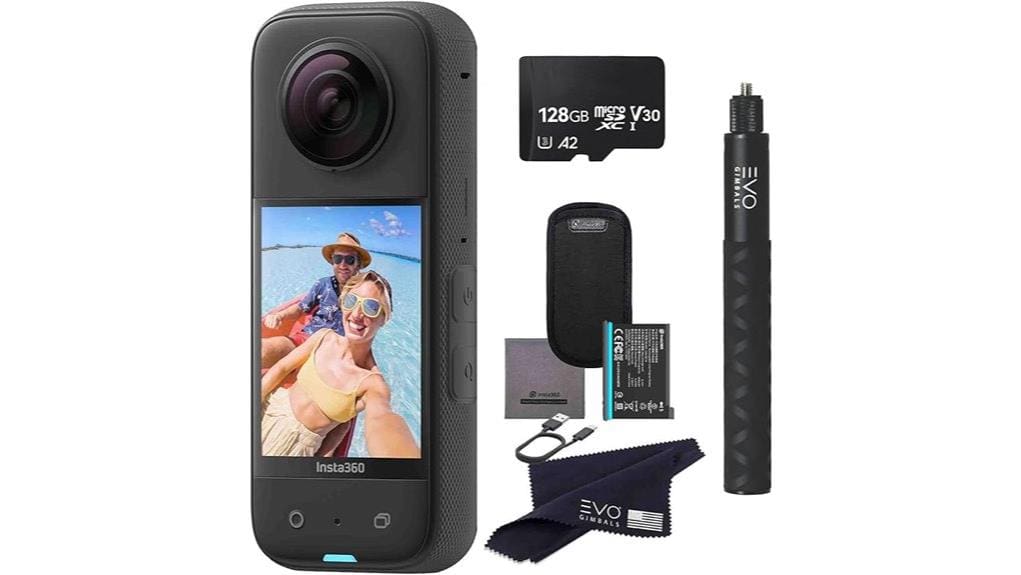

You’re getting a compact 360 action cam that shoots 5.7K Active HDR video, captures up to 72MP stills, and preserves fine detail for aggressive reframing. FlowState stabilization and 360 Horizon Lock deliver steady, drone-like footage without a gimbal, and the invisible selfie-stick keeps shots clean. You’ll get versatile modes—4K single-lens, Me mode, 8K timelapse—and a responsive touchscreen plus AI app tools for fast reframing and exports; read on to see how it stacks up and trade-offs.
Some Key Takeaways
- Dual 1/2″ 48MP sensors capture 5.7K Active HDR 360 video with excellent detail and flexible reframing.
- FlowState stabilization and 360 Horizon Lock deliver smooth, level footage without a gimbal.
- Single-frame output up to 72MP enables high-detail stills and large prints.
- Responsive 2.29″ touchscreen plus Insta360 app provide easy on-device previewing and AI-driven reframing.
- Trade-offs: slightly shorter battery life than single-lens action cams, but superior creative flexibility for reframing.
Image Quality and Sensors: 5.7K 360 Video, 72MP Photos, and Low-Light Performance
Although the X3 looks compact, its dual 1/2″ 48MP sensors deliver substantial image heft: 5.7K Active HDR 360 video gives you plenty of resolution for reframing, while single-frame output can reach up to 72MP for high-detail stills. You’ll notice sensor advancements in color fidelity and low-light clarity; noise is reduced without softening fine detail. Dynamic range improvements preserve highlights and recover shadow detail across challenging scenes. For practical shooting, that means you can reframe aggressively and still retain texture, and capture high-resolution stills suitable for large prints or intensive cropping with confidence. The X3 is an excellent choice for photographers who want to capture every angle with dedicated 360 camera gear.
Stabilization and Horizon Tools: FlowState, 360 Horizon Lock, and Selfie-Stick Results
Image fidelity matters, but how footage moves and holds level matters just as much — and that’s where the X3’s stabilization suite stands out. You’ll get FlowState stabilization that irons out shake for crisp, usable frames without a gimbal alternatives headache. 360 Horizon Lock maintains level horizons even when you tumble or spin, so reframed footage looks deliberate, not chaotic. The invisible selfie-stick integration delivers clean third-person, drone-like shots that preserve action sports perspectives without visible rigs. Together these tools let you prioritize composition and speed, reducing postwork and enabling confident handheld capture across dynamic scenarios. If you pair the X3 with quality mounts designed for photography enthusiasts, like GoPro-compatible mounts, you can expand shooting options and get more stable, creative angles.
Shooting Modes and Creative Features: 360, 4K Single-Lens, Me Mode, and 8K Timelapse
When you pick up the X3, its shooting modes give you precise creative control: shoot full 5.7K Active HDR 360 and reframe later, switch to a 4K single‑lens for traditional wide-angle footage (or 2.7K MaxView for an even broader 170° field), use Me Mode for smooth 60fps first‑person capture, or lock in long, detailed 8K timelapses. You’ll choose modes to match intent: 360 for omnidirectional capture and later creative reframing, 4K/MaxView for conventional framing, Me Mode for reliable first person perspectives, and 8K timelapse for high-resolution motion studies. Each mode preserves detail and stability for post decisions. The X3 pairs well with a range of accessories for enthusiasts, including mounts, protective cases, and camera gear to expand shooting possibilities.
Usability and Editing: Touchscreen, App Reframing, AI Tools, and Workflow
How quickly can you move from capture to a polished clip? You use the X3’s responsive touch controls to preview, crop, and set framing on the 2.29″ screen, trimming clips without returning to a computer. The insta360 app accelerates reframing: AI-driven tracking, horizon lock, and one-tap Tiny Planet or keyframe exports let you iterate fast. Cloud workflow options speed transfers and backups, and mobile rendering handles many final edits. Expect a streamlined pipeline: shoot 360, reframe in-app, apply AI edits, then export. For creators who prioritize speed and control, the X3’s usability is consistently efficient. Intervalometer remotes also help automate timed captures for smoother time-lapses and remote shooting with precise timing.
Who Should Buy the Insta360 X3 and How It Compares to Alternatives
After you’ve seen how fast the X3 gets you from capture to a finished clip, the next question is who will actually benefit most from its feature set. You should buy the X3 if you prioritize reframing flexibility, FlowState stabilization, and high-res 360 stills—especially creators who want drone-like perspectives without a drone. Compare it to single-lens action cams: you get more creative output but slightly limited battery life and different mounting options. If you need longest runtime or simpler workflows, a dedicated 4K action cam may suit better. Choose the X3 when creative versatility and post-capture framing matter most. It’s also a great companion for photographers looking to master smooth footage with gimbal stabilizers.
Some Questions Answered
Does the X3 Support External Microphones or Audio Accessories?
Yes — you can use an external mic with the X3, but you’ll need audio adapters. You’ll attach a USB-C external mic or plug a mic into the camera via insta360’s USB-C-to-3.5mm adapter (sold separately) or compatible audio adapters. You’ll get cleaner, directional sound than the built-in mics, and the app supports proper audio sync. So plan for the adapter and a quality external mic for best results.
How Long Does the Battery Last Under Typical 5.7k Recording?
You’ll get roughly 45–70 minutes of continuous 5.7K recording per full battery under typical conditions. Battery life depends on settings, ambient temperature, and whether you trigger Wi‑Fi or the touchscreen often. Expect reduced runtime if you push high frame rates or use Active HDR; thermal throttling can shorten sessions as the camera limits performance to cool down. Carry a spare battery or external power for extended shoots.
Is the Camera Weatherproof or Rated for Water Resistance?
No, it isn’t fully waterproof by itself; you’ll need the waterproof housing for submersion. You can use the camera without housing for splash resistance, but don’t expose ports. Maintain the housing’s gasket maintenance rigorously: inspect, clean, and replace the O-ring regularly to prevent leaks. Test the sealed housing before critical shoots, and avoid high-pressure water jets. With proper housing and gasket care, you’ll safely use it underwater.
Can I Livestream Directly From the X3 to Social Platforms?
Yes — you can live stream directly from the X3. You’ll use the app to connect and initiate Live streaming; Platform compatibility includes major services (Facebook, YouTube, and others supported via RTMP). You’ll get 360 or single‑lens streams, choose resolution and framing, and rely on stable FlowState stabilization. Make sure your phone has a strong uplink and the app’s permissions and stream keys are set; latency and bitrate depend on network quality.
Are Replacement Lenses or Repair Services Available From Insta360?
Yes — you can get insta360 repairs and lens replacements through insta360’s support channels. You’ll contact their support portal or authorized service centers for warranty checks, repair quotes, and genuine part replacements. They’ll assess damage, confirm coverage, and advise turnaround and costs. If you bought extended protection, mention it. Keep your serial number, purchase receipt, and photos of damage ready to speed up the process.


