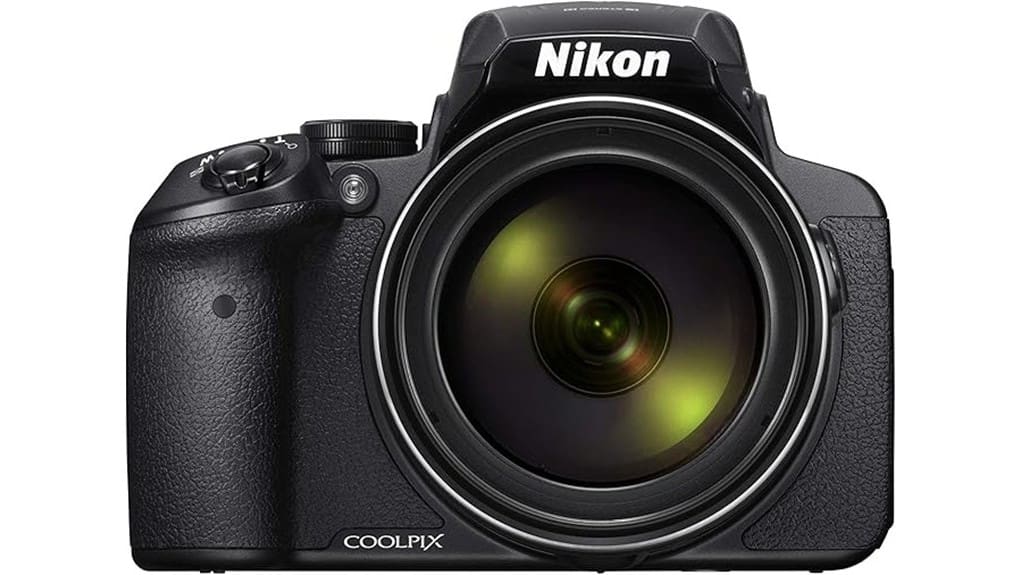
You get an astounding 83x NIKKOR zoom (24–2000mm equiv.) in a single-handled bridge body, giving unmatched reach for travel and birding but trading DSLR-grade sensor performance for a small 1/2.3″ chip. Expect lens breathing, focus hunting and detail loss at extreme telephoto, with chromatic aberration on high-contrast edges; Dual Detect Optical VR helps but use a tripod at full zoom. Controls are capable but cluttered; battery and video have practical limits — keep going to see detailed trade-offs and tips.
Some Key Takeaways
- The P900’s headline feature is an 83x NIKKOR optical zoom (24–2000mm equivalent) for unmatched reach in a fixed-lens camera.
- Image quality is limited by a 16 MP 1/2.3″ sensor, showing noise, reduced detail, and limited dynamic range at long focal lengths.
- Dual Detect Optical VR works well for handheld shooting at moderate zooms, but a tripod is recommended at full telephoto.
- Controls offer PSAM manual modes and dedicated zoom/exposure dials, though button layout and menus feel dated and cluttered.
- Full HD video, Wi‑Fi/NFC, HDMI and USB 3.0 add connectivity, but autofocus during zoom and battery drain affect longer shoots.
What the COOLPIX P900 Is and Who It’s Best For
Versatility defines the P900: it’s a fixed‑lens, super‑zoom bridge camera built around an 83x NIKKOR optical zoom (24–2000mm equivalent) and a 16 MP 1/2.3″ CMOS sensor, so you get extreme reach without swapping glass. You’ll appreciate its superzoom portability for travel and birding, but don’t expect DSLR sensor performance. As a bridge camera it balances manual controls with automated presets, making it ideal for the casual enthusiast who wants long reach and simple operation. It’s suited to beginner wildlife shooters learning composition and tracking, though you’ll compromise low‑light sensitivity and shallow depth‑of‑field capability. Consider pairing the P900 with a sturdy tripod to fully exploit its telephoto reach and reduce camera shake for distant subjects, especially when using tripods for photography.
Real-World Performance: Zoom, Image Quality, and Stabilization
Having established what the P900 is best for, let’s examine how its zoom, image quality, and stabilization perform in real shooting conditions. You’ll find the 83x NIKKOR reach impressive for distant subjects, but lens breathing and focus hunting become obvious at extreme tele. Detail at long focal lengths degrades due to the small 1/2.3″ sensor; sharpening can’t recover lost microcontrast. Chromatic aberration appears on high-contrast edges, especially wide-open and near 2000mm equivalent. Dual Detect Optical VR is effective up to handheld moderate magnifications, yet you’ll still need higher shutter speeds or a tripod for tack-sharp results at full zoom. For best results when shooting at extreme focal lengths, consider using a heavy-duty tripod to maximize stability and image sharpness.
Shooting Modes, Controls, and Usability for Travel and Wildlife
When you switch to the P900’s PSAM dial for travel or wildlife work, you get immediate access to manual exposure control and useful automated modes, but ergonomic compromises limit prolonged field use. You’ll appreciate dedicated controls for zoom and exposure, yet the button layout feels cluttered; frequently used functions require menu dives. Menu ergonomics are dated—deep hierarchies slow adjustments during stakeouts. Viewfinder clarity is generally good for framing distant subjects, though detail at extreme zooms softens and hunting in low light reveals lag. Grip comfort is acceptable for short hikes, but heavy weight and compact handle reduce long‑term stability. For those pairing the camera with support gear, choosing the right tripod head—especially a sturdy ball head—can significantly improve stability and framing precision.
Video, Connectivity, Battery Life, and File Workflow
Dive straight into the P900’s multimedia capabilities and you’ll find competent Full HD video capture paired with pragmatic connectivity—but with clear limits for serious shooters. You’ll record 1080p MP4 at usable bitrates, but limited codecs and autofocus during zoom complicate a tight video workflow. Connectivity options include Wi‑Fi, NFC, HDMI and USB 3.0 for tethering and transfer; expect straightforward transfers but no advanced network backup. Battery longevity is modest—manufacturer claims up to 360 shots, but continuous video drains faster—so plan spares for extended shoots. File management relies on SDXC card classes and manual offload to maintain capacity and integrity. Consider using high-quality HDMI accessories to ensure reliable external monitoring and recording.
Buying Verdict: Strengths, Compromises, and Who Should Buy It
After evaluating the P900’s video, connectivity and battery behavior, it’s time to weigh its overall value: the camera delivers extraordinary reach and straightforward multimedia handling, but that capability comes with clear trade-offs. You’ll get unmatched telephoto access for wildlife and travel, with reliable Dual Detect Optical VR and solid build quality for field use. Expect optical limitations at extreme focal lengths and obvious sensor tradeoffs—noise and limited dynamic range from the 1/2.3″ chip. Ergonomics concerns persist: heavy DSLR-style weight and cramped controls affect prolonged handheld use. Buy it if reach outweighs image fidelity and portability. Also consider choosing a purpose-built camera bag to protect the P900 and carry accessories when shooting in the field.
Some Questions Answered
Does It Accept Remote Shutter Remotes or Intervalometers?
Yes — you’ll find limited remote compatibility: the P900 lacks a dedicated wired remote port but supports basic remote shutter control via its built‑in Wi‑Fi and compatible smartphone apps, and uses the camera’s self‑timer for simple interval timing. That means you can trigger shots remotely and set fixed delays, but you won’t get full-featured intervalometer functions (advanced programmable intervals or long timelapses) without third‑party workarounds or tethered solutions.
Can It Shoot Raw+Jpeg Simultaneously at Full Resolution?
Yes — you can shoot Raw Shooting plus JPEG simultaneously at full resolution. You’ll get 16 MP RAW (NEF) files alongside JPEGs, but be aware File Size will be large and write speeds can bottleneck buffer and continuous shooting (7 fps). Use fast UHS‑I/V60 cards and expect higher power drain. If you need long bursts or extensive RAW capture, plan for ample storage and slower write/transfer times.
Is There Weather Sealing or Dust/Magnesium Alloy Construction?
No — there’s no weather sealing; the P900 isn’t rated for dust or moisture. You’ll want to avoid harsh conditions. body materials? The construction is primarily plastic and polycarbonate with metal accents, not a magnesium alloy chassis, so it lacks rugged professional-grade durability. Expect a lighter, consumer-style build that favors zoom mechanics over environmental protection. For serious outdoor use you’ll need protective housing or a different, sealed camera body.
Can You Charge the Battery In-Camera via USB?
No — you can’t charge the battery in-camera via USB. The P900 requires you to remove the EN-EL23 battery and charge it externally with the supplied charger. That limitation means you’ll need spares for long trips and powerbanks won’t top the battery inside the camera. Note the battery charging and USB limitations when planning shoots: USB only handles data transfer and connects for Wi‑Fi/NFC setup, not in-body charging.
Does It Support External Microphones Through HDMI or Other Ports?
No — you can’t use an external microphone through HDMI or any dedicated mic port because the camera lacks a 3.5mm mic input and HDMI is output-only. You can, however, employ hot shoe adapters that house wireless receivers or cameras with built-in mics, but those rely on the camera’s internal audio capture (reduced quality) or analog passthroughs — not true direct mic input. That limits professional audio options.


