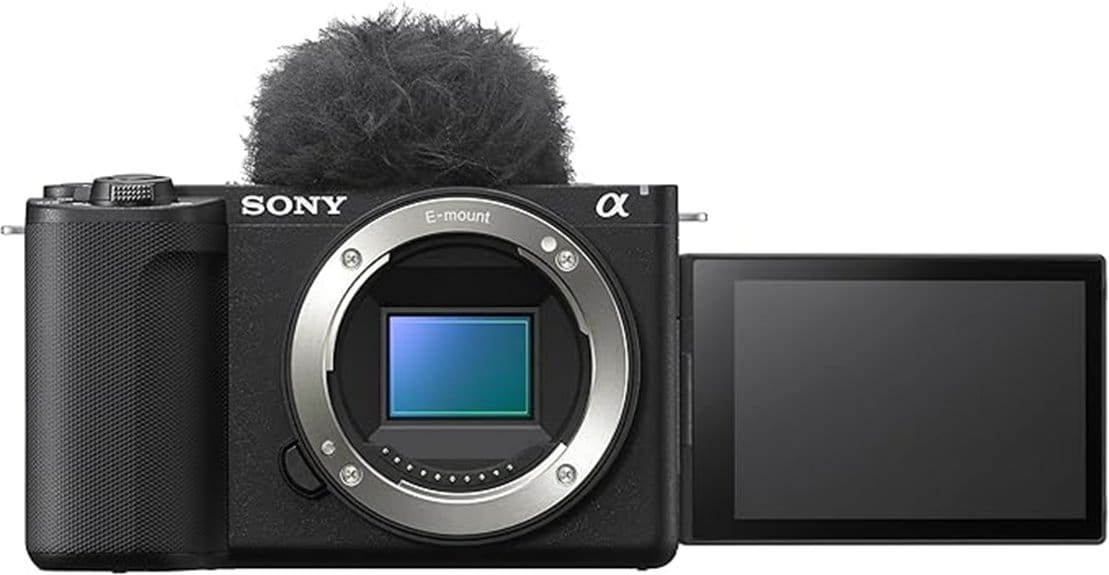
You’ll get a compact, lens‑interchangeable APS‑C body with a 26MP Exmor R sensor, reliable Real‑time Eye AF, and 4K/60p video that suits hybrid stills and vlog‑focused creators. Expect finer detail and wider dynamic range than phones or 1‑inch compacts, usable ISO to ~6400, and 11 fps burst with full AF/AE for action. E‑mount gives broad lens choice and adapters for legacy glass. Keep going to see how it compares to the original and alternatives.
Some Key Takeaways
- 26MP APS‑C Exmor R sensor delivers noticeably finer detail and improved dynamic range over smartphones and 1‑inch cameras.
- Strong Real‑time Eye AF and Tracking provide reliable, responsive autofocus for both video and burst stills.
- 4K/60p video, S&Q slow‑motion, and frame‑rate options suit vlogging, timelapse, and fast‑action capture.
- E‑mount lens ecosystem offers wide choices from compact primes to high‑performance G/G Master glass.
- Best for hybrid creators and vloggers wanting a lightweight, lens‑interchangeable system with upgraded video and AF.
Real-World Verdict: Who Should Buy the ZV-E10 II and Why
If you shoot hybrid stills and video and want a compact, lens‑interchangeable body that prioritizes autofocus and image quality, the ZV‑E10 II is a strong match. You’ll appreciate its 26MP APS‑C sensor size advantage over smartphones and 1‑inch compacts for detail and dynamic range. Real‑time Eye AF and tracking simplify subject capture, supporting fast continuous shooting and 4K/60p video. It’s ideal for beginner vloggers and budget travelers who need a lightweight, adaptable system and broad E‑mount lens compatibility. Choose body‑only to tailor optics; use in‑camera presets and S&Q to streamline production workflows. For accessories that complement the ZV‑E10 II, consider essential mirrorless gear like lenses and tripods to get the most from its portability.
Image and Video Performance: Sensor, Autofocus, and Low-Light Results
While the ZV‑E10 II‘s back‑illuminated Exmor R APS‑C sensor delivers roughly 26MP of resolving power, what matters is how that extra surface area translates to real-world images and video: you get noticeably finer detail and better dynamic range than on typical smartphone and 1‑inch sensors, which improves highlight retention and shadow separation in mixed lighting. You’ll notice consistent texture and color fidelity at base ISOs; High ISO performance remains usable to roughly ISO 6400 with conservative noise reduction, preserving detail. Autofocus responsiveness is strong—Real-time Eye AF and Tracking hold subjects reliably in video and burst shooting for accurate capture. If you frequently shoot outdoors and want stable long-exposure or low-angle shots, pairing the camera with a heavy-duty tripod designed for outdoor photography improves sharpness and composition.
Lenses and Mount Flexibility: Best E-Mount Choices for Vloggers and Creatives
For vloggers and creative shooters, the ZV‑E10 II’s E‑mount opens a wide, practical lens ecosystem that balances compactness, optical performance, and autofocus compatibility. You’ll prioritize lightweight primes (e.g., 16mm–35mm range) for run‑and‑gun vlogging and fast 35–50mm options for interviews and portraits. G and G Master lenses deliver sharpness and reliable AF; third‑party options reduce weight and cost. Use lens adapters to mount legacy or MF glass when you want unique character; Vintage glass yields distinct bokeh and color rendition but sacrifices AF and stabilization. Choose lenses by focal utility, aperture, size, and AF integration with the body. Consider using lens mount adapters to expand compatibility between modern E‑mount bodies and a wide range of legacy or third‑party lenses.
Usability and Shooting Features: Touch Controls, 11 Fps Burst, and S&Q Video
Because the ZV‑E10 II combines responsive touch controls with high-speed stills and flexible motion options, you can operate it quickly in fast-moving scenarios and creative video workflows. You’ll use Touch gestures for focus, shutter release, and quick parameter tweaks; the touchscreen supports tap-to-focus, drag AF, and frame repositioning during playback. The Menu layout groups still, video, and network settings logically, reducing mode-switch time. Continuous shooting delivers 11 fps with full AF/AE, suitable for action sequences. S&Q mode offers selectable record rates for slow-motion and timelapse, with in-camera interpolation and straightforward export to standard frame-rate timelines. For stable handheld shooting and smooth pans consider pairing the camera with a compatible tripod head designed for video and photography.
Value Comparison and Final Recommendation: ZV-E10 II vs ZV-E10 and Alternatives
Although the ZV‑E10 II builds on the original ZV‑E10, it gives you meaningful upgrades in autofocus refinement, video capabilities, and usability that affect its overall value proposition. You’ll weigh a modest price comparison gap against tangible gains: improved Real-time AF, enhanced video framerates, and UI tweaks that speed workflow. If you already own a ZV‑E10, upgrade only if you need the refined tracking or specific video features. New buyers get better longevity and lens flexibility via E‑mount compatibility. Consider alternatives (entry APS‑C bodies, pocket 1‑type cams) if battery life, budget, or lens ecosystem drive your choice. Gear Guide recommends matching your lens plan to the camera’s E-mount ecosystem to maximize value.
Some Questions Answered
Does the ZV-E10 II Include In-Body Image Stabilization (IBIS)?
No — the ZV‑E10 II doesn’t include in body image stabilization. You’ll rely on lens-based stabilization or electronic stabilization for stills and video to counter sensor shake and provide motion damping. Use E-mount lenses with optical stabilization or enable Active/SteadyShot modes for video; gimbals or tripods also help. The camera’s sensor lacks IBIS, so stabilization strategy depends on supported OSS lenses or external motion-damping accessories for steady capture.
What Is the Battery Life for Continuous 4K 60P Recording?
You’ll get roughly 30–40 minutes of continuous 4K 60p recording per NP-FW50-equivalent battery under typical conditions. Battery longevity depends on recording settings, LCD use, and ambient temperature. Thermal management kicks in sooner at high frame rates, causing auto shutdown or reduced recording time to prevent overheating. For extended shoots, you should use external power or battery grips and allow cool-down periods to maximize continuous recording reliability.
Can the Camera Charge via USB-C While Recording?
Yes—you can power the camera via USB-C while recording, but it depends on power draw and cable quality. USB charging will maintain battery charge for many shooting and Live streaming scenarios, though sustained 4K60 recording may still deplete battery if charger output is insufficient. Use a high-current PD USB-C adapter and reliable cable; monitor battery indicator and temperature to avoid shutdowns or thermal throttling during extended recording or Live streaming.
Is There a Headphone Jack for Audio Monitoring?
No — there’s no dedicated headphone jack for real-time headphone monitoring on the ZVE10 II. You’ll need to use compatible audio adapters or external recorders that provide monitoring output, or route audio through an external microphone with a headphone port. For precise monitoring, use a camera-mounted recorder/mic with passthrough or a wireless system. This maintains reliable audio monitoring and avoids relying solely on the camera’s limited onboard audio facilities.
Does the Body Have Weather Sealing for Outdoor Use?
No, the body doesn’t offer full weather resistance; it lacks thorough sealing for harsh conditions. You can use it outdoors in light, controlled environments, but you shouldn’t expose it to heavy rain, dust storms, or prolonged humidity. For occasional outdoor use, practice seal maintenance: keep ports closed, clean lens mounts, dry the body promptly, and store silica packets. For reliable all-weather shooting, choose a camera with explicit weather sealing.


