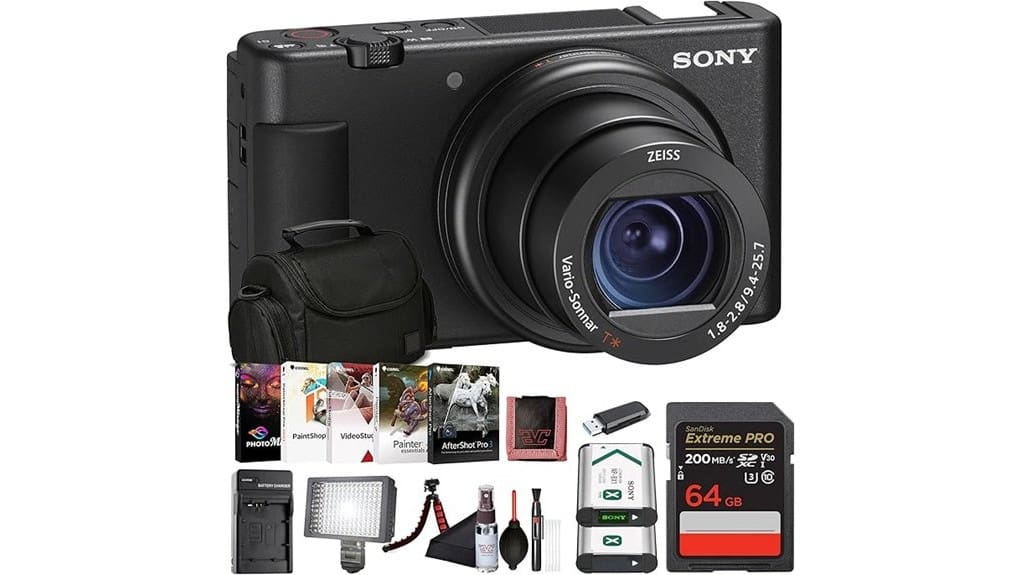
You’ll get a travel-ready, selfie-friendly 4K camera that balances punchy image quality, fast autofocus, and creator tools in a pocketable body. It uses a 1.0″ stacked sensor and ZEISS 24–70mm f/1.8–2.8 lens for crisp stills and smooth 4K HDR, with a Defocus button and Product Showcase mode that speed up vlogs. Built-in mics, mic input, USB-C streaming, and a multi-interface shoe keep you connected. Keep going to see full specs, strengths, and trade-offs.
Some Key Takeaways
- 20.1MP 1.0″ stacked Exmor RS sensor plus ZEISS 24–70mm f/1.8–2.8 lens delivers punchy 4K detail and strong subject separation.
- Vari-angle flip screen, Product Showcase mode, and Defocus button make framing and fast focus shifts ideal for vlogging.
- Built-in 3-capsule directional mic with windscreen and mic input offer usable onboard audio and external mic flexibility.
- Lightweight body, simple controls, and USB-C livestreaming suit travel creators and quick run-and-gun shoots.
- Good low-light performance for size with stacked sensor noise reduction, but battery life is modest; buy a spare battery.
Camera Overview and Who the ZV-1 Is Best For
Pull the ZV-1 out of its case and you’ve got a compact, creator-focused camera that’s built to make vlogging and travel shooting simple. You’ll appreciate its lightweight build and flip screen for selfie framing, making it a true portable companion for daily creators. Controls are intuitive, audio options are robust, and Product Showcase mode speeds shifts — practical tools, not gimmicks. If you want high-quality, grab-and-go content without complex rigs, this is for you. It excels as a pocket portrait tool for influencers, travelers, and reviewers who prioritize mobility, ease, and polished results. It also complements a wider kit of mirrorless camera accessories for creators who expand beyond a single compact body.
Image, Video, and Low-Light Performance (Sensor, Lens, 4K HDR, Background Blur)
The ZV-1’s 20.1 MP 1.0″ stacked Exmor RS sensor and fast ZEISS 24–70mm f/1.8–2.8 lens deliver punchy detail and smooth tonal shifts, so you’ll get crisp 4K HDR footage with natural colors and strong subject separation even when shooting handheld. You’ll appreciate the camera’s ability to render dynamic bokeh at wider apertures, isolating subjects without looking artificial. In low light the stacked sensor and noise reduction hold fine detail to higher ISOs than typical compacts, though shadow recovery can introduce grain. Overall, image and video quality punch above its size, making it excellent for on-the-go creators. If you pair it with a compact camera slider you can achieve smoother motion in your shots without adding bulk to your kit.
Vlogging Features and Usability in Real Shoots (Vari-Angle Screen, Product Showcase, Defocus Button)
With the ZV-1’s vari-angle LCD flipped toward you, framing yourself and checking exposure or focus becomes immediate and reliable, so you can concentrate on delivery rather than fiddling with settings. The flip screen and lightweight body enhance handheld ergonomics — you’ll hold steady longer and move fluidly for walk‑and‑talk shots. Product Showcase mode nails fast subject handoffs, instantly shifting focus to items you present. The dedicated Defocus button gives instant background blur for polished portrait-style clips without menu diving. Gesture controls and simple physical layout make on-the-fly adjustments fast, letting you shoot quickly and stay in the moment. Paired with a compatible gimbal stabilizer, the ZV-1’s compact size and balance make achieving smooth, cinematic motion easier during handheld and moving shots.
Audio, Accessories, and Connectivity for Creators (Mics, Shoe, USB-C Streaming, Wi‑Fi)
Tap into the ZV-1’s audio and connectivity suite and you’ll get a compact setup that’s clearly aimed at creators who need clean sound and flexible workflow. You’ll appreciate the 3-capsule directional mic and windscreen for decent onboard audio, plus the mic input for External microphones when you need shotgun or lavalier fidelity. The multi-interface shoe powers lights and Wireless transfer packs without extra adapters, and USB-C handles direct live streaming and fast file moves. Built-in Wi‑Fi and Bluetooth simplify phone pairing via Sony’s app, so you can shoot, transfer, and livestream with minimal gear or downtime. It also pairs well with lavalier microphones popular among photography enthusiasts who want discreet, high-quality audio.
Verdict, Alternatives to Consider, and Buying Recommendations
Although compact, the ZV-1 packs features that make it a strong choice for solo creators who need great video, good onboard audio, and straightforward connectivity. Verdict: you’ll get excellent 4K, reliable autofocus, and handy vlogger modes in a travel-friendly body, though battery life is modest for long shoots. Alternatives worth considering include the Canon G7X Mark III for similar size and the Fujifilm X100V if you prioritize image quality over vlogging features. Buying recommendations: buy the ZV-1 if you value built-in mics and USB-C streaming; check for recent firmware updates and buy at retailers with good return policies. Consider keeping a spare battery from a reputable supplier to avoid interruptions during longer recording sessions and ensure continued shooting with the right battery.
Some Questions Answered
Does the ZV-1 Support In-Camera Vertical Video Recording?
Yes — you can record upright. You’ll use portrait mode by rotating the camera and enabling vertical video in settings or during transfer; the ZV-1 supports upright recording for social platforms. It won’t magically reframe footage, so you should compose with the portrait frame in mind. Audio and stabilization still work, but check your workflow: some apps or editing steps may need you to tag or rotate files for correct playback on mobile.
Can the Camera Be Used as a High-Quality Webcam on macOS?
Yes — you can use the ZV-1 as a high-quality webcam on macOS. You’ll get USB streaming via Sony’s Imaging Edge Webcam or use Clean HDMI output with a capture card for the best quality and zero overlays. Audio works over USB or via the mic input when using HDMI. It’s straightforward, gives great 4K-derived image quality, and suits live streams, meetings, and content creation with minimal setup.
Is There Built-In Neutral Density (ND) Filtering?
No — the ZV-1 doesn’t have built in ND filters. You’ll need external solutions for strong daylight exposure control. The camera offers aperture and shutter adjustments and electronic ND-like exposure compensation, but not a dedicated variable density filter inside the body. For smooth motion and wide apertures in bright conditions, attach a screw-on variable ND, use a neutral density filter holder, or reduce ISO/shutter speed; those options give reliable, controllable results.
How Long Is Continuous 4K Recording Before Overheating?
You can typically record continuous 4K for about 10–30 minutes before thermal throttling or shutdown becomes likely; battery life often limits overall session length to 45–90 minutes with intermittent recording. In warm conditions or high bitrates you’ll hit thermal throttling sooner, around the 10–15 minute mark. To maximize uptime, use external power, cool surroundings, and pause between takes to let the camera dissipate heat and preserve battery life.
Are Firmware Updates Easy to Install via USB-C?
Yes — you’ll find firmware updates straightforward via USB-C. The process is user-friendly: download Sony’s updater, connect your camera, and follow on-screen steps. Firmware convenience is high, with clear prompts and stable progress indicators; usb c reliability keeps transfers fast and consistent. Just make sure your battery’s charged and don’t disconnect mid-update. Overall, it’s an efficient, low-friction workflow that minimizes downtime and risk.


