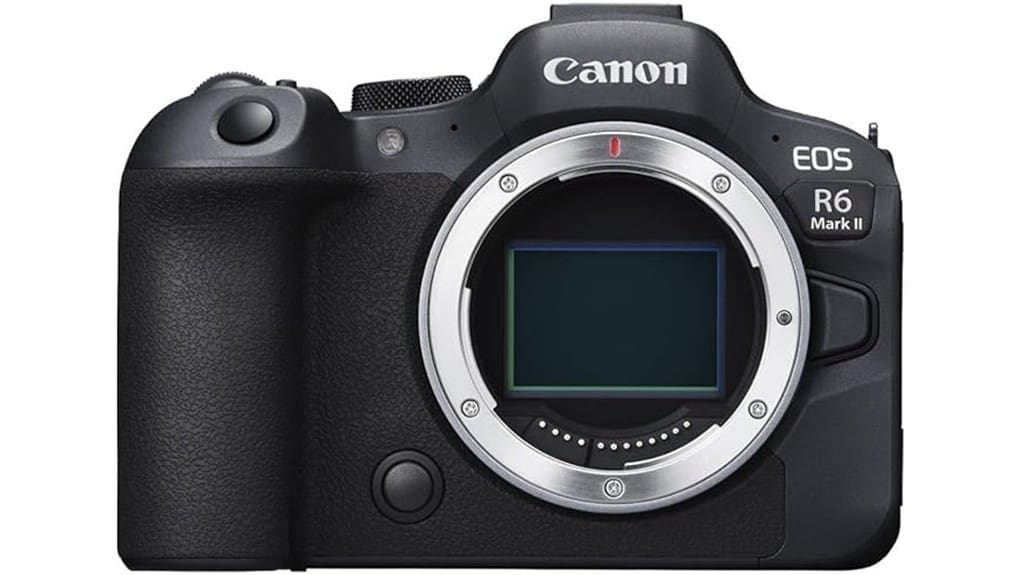
The Canon EOS R6 Mark II gives you a fast, reliable hybrid body with refined 5-axis sensor-shift IBIS, a 24.2MP sensor paired with DIGIC X, and Dual Pixel CMOS AF II for confident eye and animal tracking. You’ll get oversampled 6K-to-4K video, sustained electronic bursts up to 40 fps, and modern USB‑C/Wi‑Fi workflows, though resolution and battery life are modest. Keep going and you’ll see detailed performance, limits, and buying guidance.
Some Key Takeaways
- Excellent hybrid performance: reliable Dual Pixel CMOS AF II, strong animal/person tracking, and effective 5-axis IBIS for photo and video workflows.
- Improved image quality over R6 with a 24.2MP sensor and DIGIC X, delivering cleaner high-ISO files and finer detail.
- Versatile video: oversampled 6K-to-4K up to 60fps, 1080p up to 180fps, long continuous Full-HD recording, and clean Micro‑HDMI output.
- Fast shooting and responsiveness: up to 40 fps electronic burst, rapid buffer clearing on UHS-II/CFexpress cards, and immediate shutter feel.
- Practical trade-offs: compact and capable system with average battery life, modest resolution for heavy cropping, and no built-in flash.
Verdict and Who the EOS R6 Mark II Is Best For
While it balances high-end video and fast stills, the EOS R6 Mark II is best for hybrid shooters who need reliable autofocus, strong low-light performance, and versatile stabilization. You’ll get a clear value proposition: excellent subject acquisition, sensor-shift 5-axis IS, and DIGIC X processing deliver usable files and extended shooting sequences. Ideal users include wedding, event, and content creators who switch between 6K-derived 4K video and rapid 20MP burst stills without changing bodies. You’ll appreciate robust connectivity, long recording, and effective animal/person tracking. It’s practical, efficient, and engineered for mixed photo-video workflows where dependability matters. Enthusiasts will also want to consider essential mirrorless accessories like stabilizers and lenses to get the most out of the system.
Key Specs at a Glance: What Changes From the Original R6
You’ll notice the R6 Mark II refines the original R6’s hybrid formula with targeted upgrades rather than a wholesale redesign. You get a higher resolution sensor (24.2 MP effective) paired with the DIGIC X processor, delivering 14-bit output and expanded file format options (C-RAW/HEIF/JPEG). Improved stabilization arrives via refined 5-axis sensor-shift IBIS, enhancing low-light handheld and video performance. Other changes include faster electronic shooting up to 40 fps at reduced resolution, 6K-oversampled 4K60 video, upgraded EVF refresh and USB-C 10 Gbps connectivity. Battery and lens compatibility remain consistent with the original R6. Consider pairing the camera with an external monitor to fully leverage its video performance and framing capabilities.
Real-World Image, Autofocus, and Burst Performance (Photos)
Because Canon married the 24.2 MP sensor to the DIGIC X engine, you get noticeably cleaner high-ISO files, quicker processing, and more usable detail than the original R6 without a significant noise penalty. In practice you’ll see accurate tonality, 14-bit headroom, and efficient C-RAW throughput. Shutter responsiveness is immediate: mechanical and electronic options feel decisive. Focus reliability is strong across people and animals using Dual Pixel CMOS AF II, with consistent eye/body detection. Burst buffer sustains long runs—up to 40 fps electronically at reduced resolution—with rapid clearing on UHS-II cards. Tracking consistency during continuous shoots is excellent for action work. For photographers needing the fastest file handling and sustained write performance, consider CFexpress cards for maximum throughput.
Video Features, Limits, and Workflow for Creators
If you need a camera that balances high-resolution capture with practical recording limits, the R6 Mark II delivers versatile video tools and sensible workflow options. You’ll record oversampled 6K-to-4K at up to 60 fps, and 1080p at up to 180 fps for slow motion; continuous Full-HD runs six hours. Use the Micro‑HDMI output for clean feeds and External monitoring during shoots. Dual Pixel AF II, IBIS, and high-bitrate codecs simplify capture; USB‑C and Wi‑Fi speed transfer. For post, implement checksum-verified Workflow backups to dual cards and archive to fast SSDs. Battery and thermal limits remain practical. Consider archiving to fast portable SSDs for reliable long-term storage.
Practical Pros, Cons, and Should-You-Buy Recommendations by Use Case
Having covered video capabilities and workflow, let’s look at how the R6 Mark II performs in real-world roles and where it might fall short. You’ll get excellent autofocus, stabilization, and 6K-derived 4K for hybrid shooters. Pros: reliable subject tracking, compact ergonomics vs weight balance, robust accessory ecosystem, and EF compatibility via adapter including many third party lens options. Cons: modest 24MP resolution for heavy cropping, average battery life for extended shoots, and no built-in flash. Should-you-buy: choose it if you need fast AF, IBIS, and video; consider alternatives if you prioritize resolution or longer runtimes. Also consider protecting your investment with a durable Pelican case to safely transport gear between shoots.
Some Questions Answered
Does It Support In-Body Battery Charging via USB-C While Shooting?
Yes — you can USB charging while shooting: the camera supports live powering via USB-C PD, so you can maintain battery charge and use power passthrough for long sessions. You’ll get simultaneous recording while the camera’s powered from USB, making continuous Full‑HD or 4K capture practical. Note that effective USB charging depends on a compatible PD charger/cable and may vary with heavy loads; internal battery still manages power draw.
Can I Use Third-Party Batteries and Chargers Safely?
Yes — you can use third-party batteries and chargers, but prioritize Battery compatibility and Charger safety. Use reputable brands that match voltage, capacity, and communication protocols of Canon LP-E6NH/N. Avoid cheap no-name cells and uncertified PD chargers. Monitor temperature, firmware alerts, and test before critical shoots. Unauthorized batteries may void warranty or cause malfunction, so keep an original Canon battery as backup for reliable power and safety.
Is There a Built-In Intervalometer for Time-Lapse Without External Apps?
Yes — you’ve got a built in intervalometer. You can set time lapse settings directly in-camera: interval, number of shots, and exposure smoothing. You’ll choose interval duration, total frames, and whether to record an in-camera time-lapse movie or save individual stills. Use exposure smoothing to handle changing light. No external apps are required, and the camera stores images to UHS-II/Video Speed Class U3 cards for later processing.
Does the Camera Have a Microphone/Headphone Simultaneous Jack Use Limitation?
Yes — you can use both ports simultaneously. You’ll get microphone compatibility via the 3.5mm mic jack while monitoring through the 3.5mm headphone jack without disabling either. This lets you record enhanced audio and perform real‑time headphone monitoring for levels and focus checks. Make certain your external mic and headphones meet connector and impedance expectations; the camera supports external power via USB-C for prolonged audio/video sessions.
Are Lens IS and Sensor-Shift IS Automatically Coordinated With All RF Lenses?
Yes — you’ll get lens IS and sensor-shift stabilization coordination with compatible RF lenses. Lens compatibility is broad for RF mount optics and many RF lenses communicate with the body so optical IS and the camera’s 5‑axis sensor-shift IS work together. If you use non‑compatible or adapted EF lenses, coordination may be limited or rely solely on sensor-shift. Check specific lens firmware/compatibility for peak stabilization coordination.


