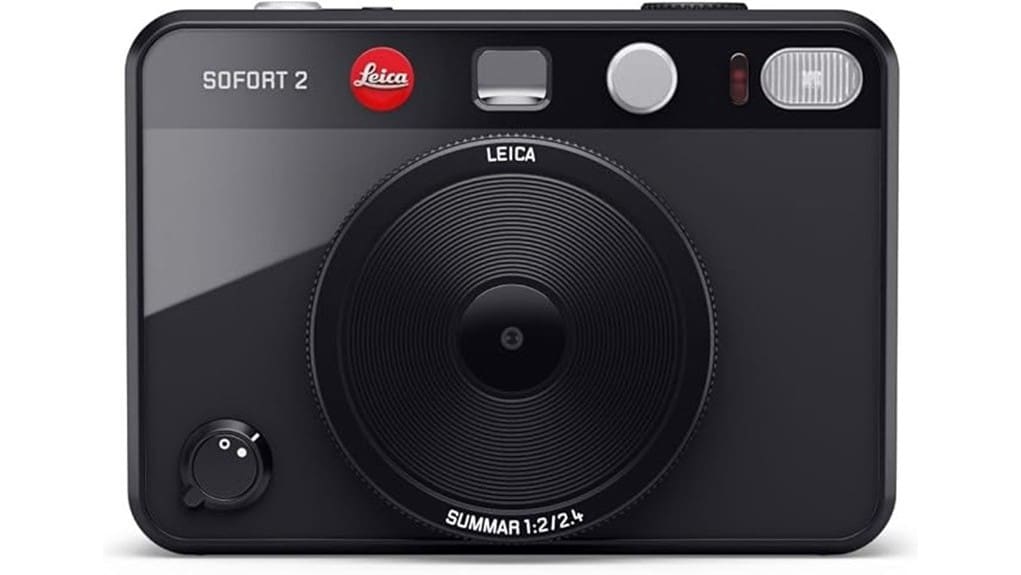
You’ll find the Leica Sofort 2 delivers a refined hybrid experience: tactile metal‑and‑polymer build, thumb‑friendly controls and dual shutter releases for quick snaps or composed shots, plus indexed dials and ten lens effects for consistent inputs. The LCD gives accurate previews; prints render warmer midtones, compressed highlights and film‑dependent grain. App pairing via Leica FOTOS/Leica Gallery handles transfers, tagging and mobile printing. It’s aimed at enthusiasts who want stylish instant output—keep going to see detailed comparisons and workflow steps.
Some Key Takeaways
- Hybrid Leica Sofort 2 offers both instant prints and digital previews with tactile controls for quick mode switching.
- Dual dedicated shutters optimize ergonomics for handheld snapshots and composed portraits, reducing motion blur.
- LCD previews accurately show framing and effects, though prints render warmer midtones and compressed highlights.
- Ten film effects, selectable film modes, bursts, and interval sequencing enable creative instant outputs and texture control.
- App integration via Leica FOTOS supports wireless transfer, remote release, metadata sync, and mobile printing workflow.
Design, Build, and Controls: What Makes the Leica Sofort 2 Feel and Handle Like a Hybrid Instant Camera
Though it looks playful, the Sofort 2‘s design is purpose-built: Leica blends a compact, tactile chassis with clearly labeled controls so you can switch between analogue prints and digital capture without fumbling. You’ll notice tactile controls positioned for thumb and forefinger operation, promoting rapid mode changes. Hybrid materials—metal alloy framing with polymer overmolds—reduce weight while preserving rigidity and heat dissipation. Button travel is short but defined; rotary dials index detents accurately. The layout segregates print, capture, and connectivity functions logically, so you’ll operate the hybrid workflow intuitively. Overall fit, finish, and ergonomics favor dependable, repeatable handling. The Sofort 2 is ideal for photographers who want to rediscover joy in compact point-and-shoot photography.
Dual Shutter System and Shooting Modes: How the Two Shutter Releases, Lens Effects, and Film Modes Change Your Photos
Because Leica gives you two dedicated shutter releases, you’ll choose framing and intent more deliberately: one button favors quick handheld snapshots and selfies with an optimized front-facing angle, while the other is positioned and tuned for composed landscapes and portraits with steadier hand placement. The dual-shutter architecture improves shutter ergonomics, reducing motion blur by matching hand posture to subject type. Ten lens effects and selectable film modes let you predefine tonality, vignette, and grain; combined with creative sequencing options, you can program bursts or timed intervals for narrative series. You’ll evaluate results quickly and adjust mode selection to control mood and output. Consider pairing the camera with a comfortable, secure strap designed for photographers who value camera straps to keep your gear accessible and safe.
Image Quality – Digital Preview vs. Instant Prints: Real-World Examples of LCD Previews, Printed Output, and Low‑Light Performance
Having chosen shutters, lenses, and film modes, you’ll want to compare what you see on the LCD with the physical print to judge how the Sofort 2 renders tone, detail, and noise. The LCD realism is good for framing and effect selection, showing contrast and color shifts accurately enough to anticipate prints. Printed output delivers slightly compressed highlight detail, warmer midtones, and grain structure tied to film mode; evaluate sharpness at edge and microcontrast. In low light, digital previews may underrepresent noise; instant prints mask noise with tonal smoothing. Consider print permanence for archival use—Zink-like papers are fun but limit longevity. For displaying your favorite shots, consider mounting prints in acrylic photo blocks to enhance depth and protect prints.
App Integration and Workflow: Using Leica FOTOS and Mobile Printing From Leica Gallery Step‑By‑Step
Start by pairing the Sofort 2 with the Leica FOTOS app and you’ll immediately see how the hybrid workflow streamlines capture-to-print: the app handles Wi‑Fi/Bluetooth pairing, live image transfer, metadata syncing, and remote release, while Leica Gallery lets you queue specific images for mobile printing. You’ll confirm transfers on the camera’s LCD, tag selects, and trigger remote shutter with low latency. Leica FOTOS offers basic RAW/JPEG management, automatic cloud backup options, and exposure/white-balance adjustments before printing. Mobile printing from Leica Gallery is reliable; throughput and color fidelity depend on film type and selected processing profiles. For photographers who shoot frequently and value off-site backups, consider a dedicated cloud storage plan to secure your photos and streamline long-term workflow.
Who Should Buy the Sofort 2 and Alternatives to Consider: Ideal Users, Price/Value Verdict, and Comparable Hybrid Instant Cameras
If you want a playful, tactile hybrid that pairs instant prints with basic digital control, the Sofort 2 is aimed squarely at hobbyists and creative consumers who value design, simplicity, and on‑the‑spot prints over full manual control or interchangeable lenses. You’ll prefer it if you prioritize immediate tangible output, easy app printing, dual shutter modes, and preset creative effects. Price/value suits enthusiasts seeking Leica styling and occasional collectible editions rather than pro gear. Alternatives: Fujifilm Instax Square hybrids for value, Polaroid Now+ for manual controls, or mirrorless plus Instax printer setups for higher image quality and community workshops integration. The site also offers a curated selection of accessories and film stocks ideal for instant camera users, including guides on instant camera gear to help you choose the right setup.
Some Questions Answered
Does the Sofort 2 Accept Third‑Party Instant Film Cartridges?
No — it’s not officially rated for third party compatibility, so you shouldn’t expect guaranteed results. You can try film alternatives physically compatible with the cartridge bay, but outcomes vary: exposure, ejection reliability and chemistry may differ from Leica’s blanks. If you need consistent quality and predictable developing, stick with approved instant media. Technically savvy users may experiment, but be prepared for mixed performance and potential voided support.
What Are the Battery Life and Charging Options for Long Outings?
You’ll get moderate Battery endurance suitable for mixed analog/digital use; expect several hundred shots if you limit print-heavy sessions. Charging versatility includes USB-C fast recharging from power banks or wall adapters, so you can top up on long outings. Evaluate power needs: carry a high-capacity power bank for extended print runs, reduce LCD/flash use, and use airplane-mode-like settings to conserve energy when you’re photographing all day.
Can You Tether the Camera to a Computer for Live Viewing?
No — you can’t tether the camera to a computer for tethered viewing or live preview. The camera supports wireless transfer and printing via the Leica FOTOS app and prints from the Leica Gallery, but it lacks a dedicated USB tethering/live-preview protocol. For real-time framing and exposure control you’ll rely on the camera’s LCD and app-based preview on mobile devices. This limits studio-style computer live preview workflows.
Is There a Way to Batch Print Multiple Saved Digital Images?
Yes — you can batch print multiple images, but with limits. You’ll select photos on the camera’s LCD or in the Leica FOTOS app, queue them, and issue print commands sequentially; true automated bulk printing (continuous unattended runs) isn’t supported. The workflow’s reliable for small batches, supports different lens/film effects per image, and preserves resolution-to-print mapping. For high-volume needs, you’ll need external software or a dedicated printer with batch-print features.
Does the Camera Support Firmware Updates and How Are They Installed?
Yes — you can manage firmware updates; firmware management is supported and straightforward. You’ll download updates via the Leica FOTOS app or Leica’s support site, then transfer them to the camera over USB-C or through the app’s update process. The update process verifies files, installs firmware, and restarts the camera. You should back up images, guarantee battery charge, and follow on-screen prompts to avoid interruption during installation.


